AI Research Tools for Students That Make Papers Easier to Research
Finding ten solid sources for a paper used to mean an afternoon in the library catalog, half of it spent chasing dead links. In 2026, much of that work has moved to AI tools that can search millions of papers, summarize a 40-page study in a paragraph, and help you see whether a claim is actually supported by the evidence rather than simply mentioned near it.
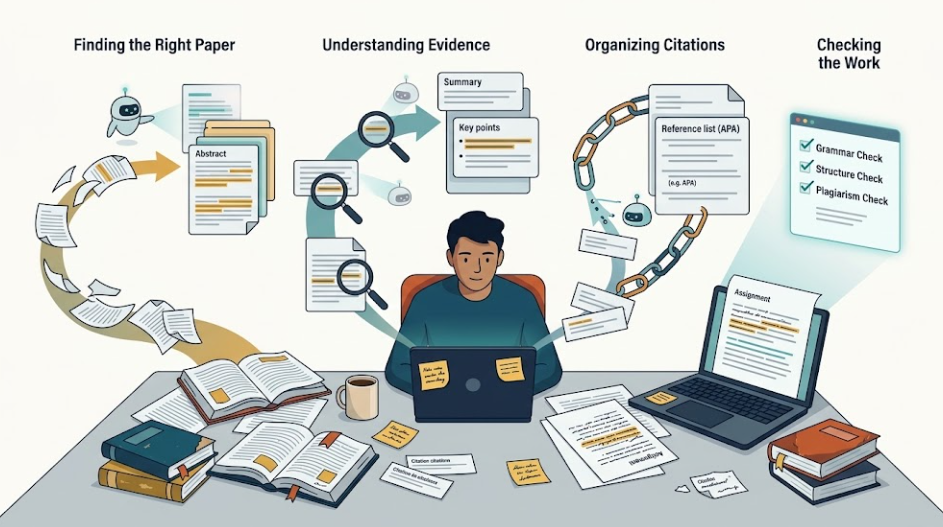
The problem now isn’t finding information. It’s choosing the right tool for the stage you’re actually stuck on and knowing which ones may give you a fabricated citation if you’re not paying attention. This guide covers ten AI research tools students can use across the research process, from finding papers and understanding sources to organizing citations and polishing a final draft.
Quick answer: For most students, a simple research stack can cover most of a paper: Semantic Scholar for finding papers, NotebookLM for reading and questioning your sources, and Zotero for organizing citations. Add Consensus or Elicit when you need evidence-backed answers or deeper literature-review support, and Paperpal or QuillBot when you’re ready to polish the draft.
How We Evaluated These AI Research Tools
Each tool below is judged on what it’s actually built for, how it handles sourcing, what the free tier realistically lets you do, and where it breaks down. Pricing and plan details can change, so vendor pages are the best place to confirm the current cost before paying.
Find Academic Papers
Semantic Scholar
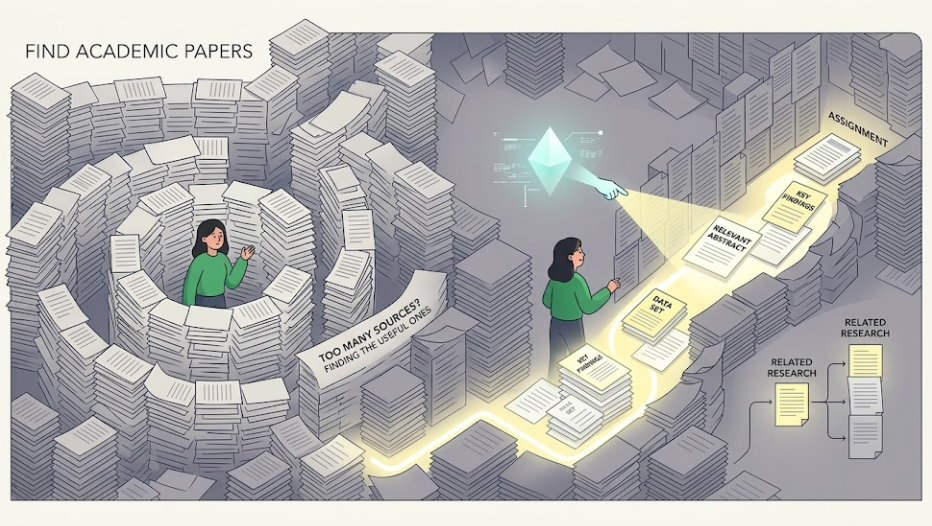
Built by the nonprofit Allen Institute for AI, Semantic Scholar is a free AI-powered academic search and discovery tool covering more than 200 million papers. Its standout feature is the TLDR, a short AI-generated summary that helps you decide quickly whether a paper is worth opening. It also highlights highly influential citations, making it easier to spot research that has had a significant impact rather than simply collecting a large citation count.
It’s particularly useful for getting your initial view of a research topic and moving from one relevant paper to related work.
Best for: The first pass of a literature search.
Limitation: It helps you find and understand papers, but it doesn’t replace a tool designed to synthesize evidence across them.
Consensus
Consensus is designed for research questions that can be answered by looking across academic literature. Its Consensus Meter helps show the degree of agreement among studies, while its answers are grounded in retrieved research with citations.
It’s particularly useful when you don’t simply want to find papers about a topic but want to understand what the research says about a specific claim. It also integrates with reference-management tools such as Zotero, Mendeley, and EndNote.
Best for: Quickly checking what the evidence says about a specific research question.
Limitation: It’s more useful for evidence-based questions than for humanities topics or research that depends heavily on qualitative interpretation.
Perplexity
Perplexity works more like a general AI search engine than an academic database. It searches the live web and returns cited answers, making it useful when you need background information, current developments, or industry context alongside academic research.
That broader coverage is also its limitation. Because the results aren’t restricted to scholarly literature, you need to evaluate the quality of each source before using it in academic work.
Best for: Fast, cited background research and framing a topic before moving into academic databases.
Limitation: It searches beyond scholarly literature, so source quality can vary more than it does with dedicated academic research tools.
Understand and Compare Research Papers
Elicit
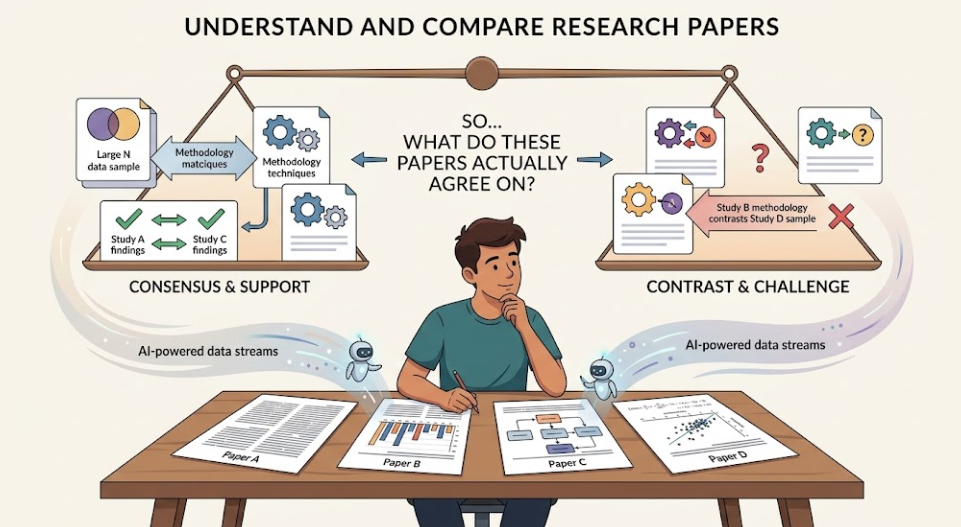
Elicit is built for the stage where you’ve moved beyond simply finding papers and need to compare what those papers actually contain. Give it a research question, and it can search academic literature, summarize relevant studies, and extract details such as sample size, methodology, and findings into structured tables.
That makes it particularly useful when a literature review requires you to compare information across many studies instead of reading each paper independently and manually recording the same details.
Best for: Literature reviews and assignments that require structured comparison across multiple papers.
Limitation: It focuses on academic literature, so it isn’t designed for news, industry reports, or general web research.
SciSpace
SciSpace combines an AI Copilot with a PDF reader. You can highlight a sentence or equation in a paper and ask for an explanation, simplification, or context, which can be useful when you’re working through dense research outside your field.
It also includes literature-review and journal-formatting features. Its main value for students, however, is making difficult papers easier to work through without constantly leaving the document to search for explanations.
Best for: Understanding dense or highly technical research papers.
Limitation: Free-tier usage limits can become restrictive during heavy reading sessions.
Scite
Scite approaches research from a different angle. Instead of simply summarizing a paper, it looks at how later research cites it and classifies citations as supporting, contrasting, or mentioning the original work.
That’s useful because a paper can have hundreds of citations without those citations necessarily agreeing with its findings. Scite can therefore provide additional context before you build an argument around a particular study. It also surfaces information such as retractions and editorial notices.
Best for: Checking whether a source is supported or disputed by later research.
Limitation: It’s primarily a citation-analysis tool, not a replacement for a research discovery engine.
NotebookLM
NotebookLM is built around working with a defined set of sources. You can upload your own PDFs, lecture notes, or transcripts and use the tool to ask questions, generate summaries, create study materials, and explore connections across your sources. Google has continued expanding its research and study capabilities around NotebookLM in 2026.
For students, its main advantage is that you can work directly with the material you’ve already collected instead of asking a general AI tool to reconstruct information from memory.
Best for: Studying and questioning a fixed set of research papers, lecture notes, or course material.
Limitation: Its usefulness depends heavily on the quality and relevance of the sources you’re working with.
Organize Research and Citations
Zotero
Zotero is a free, open-source reference manager that handles one of the least exciting but most important parts of academic research: keeping your sources organized.
Its browser extension can capture citation information while you’re researching, and it can generate bibliographies in different citation styles for tools such as Word, Google Docs, and LibreOffice. It also connects with several research tools, making it easier to move from discovering papers to managing the references you’ll actually use.
Best for: Keeping sources, citations, and bibliographies organized throughout a research project.
Limitation: It doesn’t provide native AI summarization, so you’ll need another tool for AI-assisted reading or analysis.
Which AI Tools Help Students Polish an Academic Paper?
Paperpal
Paperpal focuses specifically on academic writing. It provides grammar and language correction geared toward scholarly writing, citation-related features, plagiarism checking, and tools aimed at journal submission.
It’s more specialized than a general writing assistant, which makes it particularly useful when the goal is to make an academic manuscript clearer and more consistent rather than simply more conversational.
Best for: Academic writing where language, formatting, and scholarly tone need careful refinement.
Limitation: The free tier has usage limits that can become restrictive when editing a long draft.
QuillBot
QuillBot is a more general-purpose writing tool. It offers paraphrasing, grammar checking, and other writing features that can be useful across essays, assignments, discussion posts, and other student writing.
It’s less specialized for academic formatting than Paperpal, but that broader focus makes it useful when you want help improving the wording of everyday academic work.
Best for: General writing polish and paraphrasing across different types of assignments.
Limitation: Its free-tier word limits can make editing a full-length paper inconvenient.
How Do These AI Research Tools Compare?
| Tool | Best for | Free tier | Paid entry price |
| Semantic Scholar | Finding academic papers | Fully free | — |
| Consensus | Evidence-based research questions | Freemium | Check current plan |
| Perplexity | Cited web and background research | Freemium | ~$20/month |
| Elicit | Literature reviews and data extraction | Freemium | Check current plan |
| SciSpace | Understanding dense papers | Freemium | Check current plan |
| Scite | Citation context and verification | Freemium | Check current plan |
| NotebookLM | Working with your own research sources | Free tier available | Check current plan |
| Zotero | Organizing citations | Fully free | Optional paid storage |
| Paperpal | Academic writing polish | Freemium | Check current plan |
| QuillBot | Paraphrasing and grammar | Freemium | Check current plan |
You don’t need ten subscriptions. A workable starting workflow is to use Semantic Scholar to find relevant papers, move the sources you keep into NotebookLM for reading and questioning, and use Zotero to organize your references.
When a specific question needs stronger evidence checking, Consensus can fill that gap. If you’re working through a larger literature review, Elicit becomes more useful because it can help structure information across multiple studies.
The point isn’t to collect as many AI tools as possible. It’s to use each one where it solves a particular research bottleneck. Current research-tool guides increasingly frame AI research this way: different tools serve different stages of discovery, source reading, comparison, organization, and verification rather than one tool doing everything equally well.
How to Use Research Tools Without Losing Academic Integrity

These tools are genuinely useful for finding, reading, and organizing research faster. What they shouldn’t replace is your own academic reasoning.
Submitting AI-generated analysis or prose as your own original work can violate academic integrity policies. A safer approach is to use AI to understand sources, organize research, compare information, and check your own writing rather than handing over the entire intellectual work to a tool.
And even when an AI tool provides citations, don’t assume the citation automatically proves the claim. Open the original paper and verify the relevant finding before relying on it in your work. Recent research on AI-assisted literature reviews likewise emphasizes human oversight and verification rather than treating AI as a substitute for a rigorous research process.
Frequently Asked Questions
Are AI research tools accurate enough to cite in a paper?
The original paper, if it is real and appropriate for your research, is the source you should cite. An AI-generated summary is not a substitute for checking the paper itself. Always verify the actual claim in the source before citing it.
Can professors detect AI-generated research papers?
AI-writing detectors exist, but none are perfectly reliable. The bigger problem is that AI-generated academic work can contain incorrect or fabricated details that weaken a paper regardless of whether a detector is used.
What’s the difference between Consensus and Elicit?
Consensus is better suited to answering a specific research question by drawing on evidence across studies. Elicit is more useful when you need to work systematically across multiple papers and extract or compare information from them.
Is NotebookLM the same as ChatGPT for research?
No. NotebookLM is designed around notebooks and research materials, with a strong emphasis on working with sources and documents. General AI assistants such as ChatGPT can be useful for explanation and broader research tasks, but their outputs still need to be checked against reliable sources.
Do I need a paid AI research tool as a student?
Not necessarily. Free tools such as Semantic Scholar and Zotero can cover important parts of the research workflow, while NotebookLM can help you work through source material. Paid tools become more useful when you encounter a specific limitation that affects the type or scale of research you’re doing.
How can I tell if a research source is reliable?
Don’t rely on citation counts or an AI-generated answer alone. Check the original paper, look at how later research cites it, and consider whether the source actually supports the claim you’re making. Tools such as Scite and Consensus can provide additional context, but the source remains the final reference point.
